
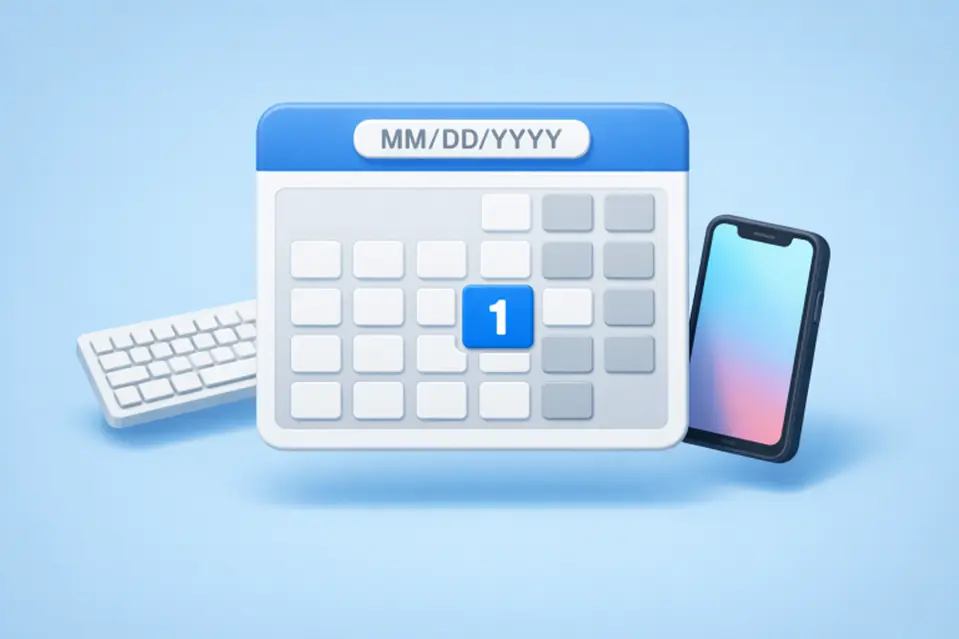
Designing an effective date picker is crucial for enhancing user experience in applications that require date selection. A well-crafted date picker simplifies the process, reduces errors, and accommodates diverse user needs, ultimately improving user satisfaction. Exploring the wide array of datepicker UI patterns can help identify what works best in different contexts, ensuring a date picker meets both functional and aesthetic requirements.
Users expect to interact with intuitive date pickers that work seamlessly across devices. Whether the picker is used for travel bookings, scheduling meetings, or event planning, the right design will enhance efficiency and reduce frustration. Developers and designers must consider not only the look and feel but also technical factors such as accessibility and input validation, which are vital in providing a positive user experience.
However, even the most visually appealing date pickers can fall short if they are not responsive or accessible to everyone, including users with disabilities. For this reason, it is essential to integrate best practices from the outset, avoiding pitfalls that lead to input mistakes or inaccessible features.
From making the interface touch-friendly to clarifying date formats and offering context-sensitive guidance, every detail counts. Good design ensures dates cannot be selected erroneously and meets the unique needs of each application domain.
Choosing the Right Date Picker
Choosing the right type of date picker begins with understanding user needs and the specific application context. A calendar-style picker is best for selecting single dates or date ranges, such as booking a hotel or planning an itinerary. For use cases where users need to scroll through years or months, like entering a birth date, a wheel or spinner style picker is often more efficient, especially on mobile devices with limited screen space. Considering the input method and context helps ensure the design supports a smooth and accurate selection process.
Accessibility and Usability
Accessibility in date pickers is essential for users with disabilities and includes features like keyboard navigation, proper labeling, screen reader support, and sufficient color contrast. Compliance with the Web Content Accessibility Guidelines (WCAG) expands usability. Best practices include enabling keyboard selection, using ARIA attributes to provide context, testing with assistive technologies, and ensuring a clear visual focus for interactive elements.
Clear Labels and Format Hints
Confusion over date formats is a common source of error in form fields. Mitigate this by presenting explicit labels and format hints next to the date picker input. For instance, using “MM/DD/YYYY” or a similar hint above or within the field directly guides users to enter dates correctly. Visual cues, such as placeholder text or helper icons, can reinforce the expected format. If your application serves an international audience, consider allowing format configuration based on local preferences to further reduce confusion and potential mistakes.
Improving Clarity with Additional Guidance
Along with format hints, error messages should be concise and specific. For example, if a user enters an out-of-range date, an instant, informative message should appear, helping the user quickly resolve the issue. Inline validation is preferable to waiting until form submission.
Disabling Unavailable Dates
To enhance user experience, it is essential to present only valid date options in interfaces, thereby reducing frustration and minimizing errors. Non-selectable dates, such as unavailable booking days, holidays, or blackout periods, should be visibly disabled or greyed out in the date picker. This practice not only simplifies the selection process but also proactively addresses potential mistakes. Additionally, providing a tooltip or brief explanation for unavailable dates fosters transparency and clarity. Techniques to effectively implement this include greying out non-selectable dates, blocking navigation to months with no available dates, and displaying relevant tooltips associated with blocked dates.
Mobile Optimization
Mobile users engage with date pickers differently from desktop users, necessitating specific design adaptations. Mobile date pickers should feature larger touch targets and support swipe gestures for improved navigation. It is crucial to implement responsive design to maintain functionality and clarity across various screen sizes. Enhancements such as pop-up modals, sticky action buttons, and adaptive layouts contribute to a seamless mobile experience, facilitating quick, error-free date selection.
To optimize touch interactions, ensure that buttons and date cells are sufficiently large for easy finger taps, include easily accessible controls like “Today” or “Clear,” and reduce excessive scrolling by pre-setting relevant months or dates.
Conclusion
Designing an effective date picker involves more than choosing an attractive visual layout. It requires understanding the application context, prioritizing usability and accessibility, providing clear instructions, and enabling robust error-prevention features. When these best practices are implemented, users benefit from frictionless interactions, which ultimately increases overall satisfaction and usability. Designers and developers who keep these principles in mind can build date pickers that not only look great but also provide a truly helpful experience for everyone.
Also READ
- Improving ROI Through Smart Aviation Technology Investments
- Business Disputes in Nevada: When to Hire a Business Litigation Attorney
- Exploring Life Fitness: The Ultimate Guide to Health and Wellness Equipment